Defining Data Policies for Lens Model
Information
Data policies help control access to specific data, either by masking sensitive information or filtering rows based on user groups. This guide outlines how to apply data masking and row filtering policies to control data access for your Lens model based on user groups.
Data Masking Policy on a Table’s Dimension
Data masking ensures that sensitive data is obscured according to the defined policies. To protect data in your Lens model, you have two masking functions available to hide sensitive information:
- Redact: It replaces the value with
redact. - md5: It hashes the value using the MD5 algorithm.
Define the Data Masking Function
To apply data masking, add the masking function to the dimension definition in your table manifest file.
Use the secure property in the meta section. Specify which user groups the data masking applies to.
includes: Groups that will see masked data.excludes: Groups that will not see masked data.
Example Configuration:
- name: full_name
  description: Full name of the customer
  sql: full_name
  type: string
  meta:
    secure:
      func: md5
      user_groups:
        includes:
          - dataconsumer
        excludes:
          - default
Configure User Group Policies
Here’s how to set up masking for different user groups:
-
Apply Masking to All Users
-
Apply Masking to Everyone Except Certain Groups
-
Apply Masking to Specific Groups Only
Example Scenarios
Example: The following configuration shows how the masking policy is applied to the annual_income dimension of the customer table in the Retail360 data model:
- name: annual_income
  type: string
  description: Annual income of the customer.
  sql: annual_income
  meta:
    secure:
      func: redact
      user_groups:
        includes: "*" # secure for everyone
        excludes:
          - type_analyst   # except default
Viewing Data: Type_analyst Group vs. Other Users
-
Users in the
type_analystgroup will see theannual_incomedata, as this group is listed in theexcludesproperty. Other users will see masked data.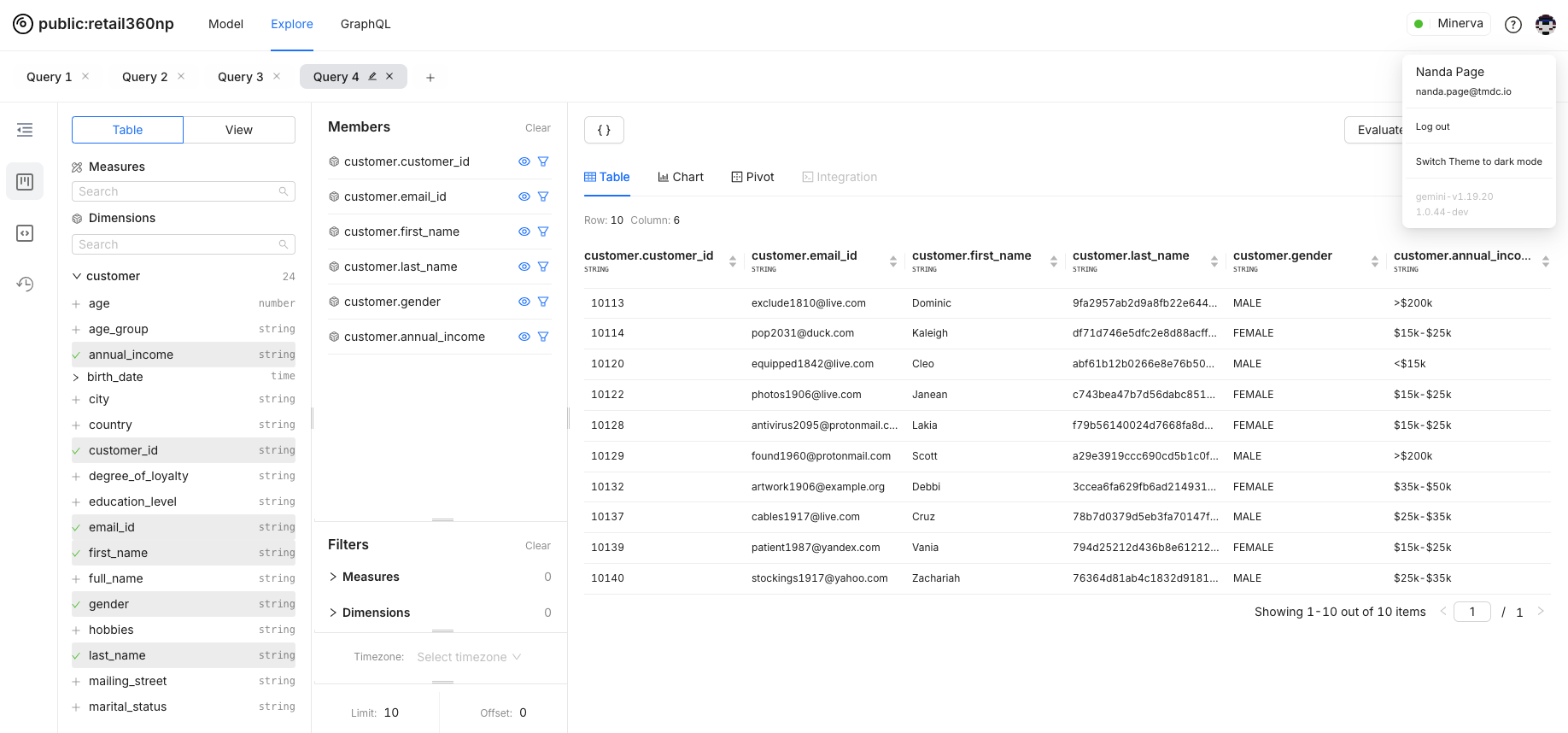
To see which users belong to the
type_analystgroup, checkuser-groups.yaml: -
For users not in the
type_analystgroup, the data is masked as specified.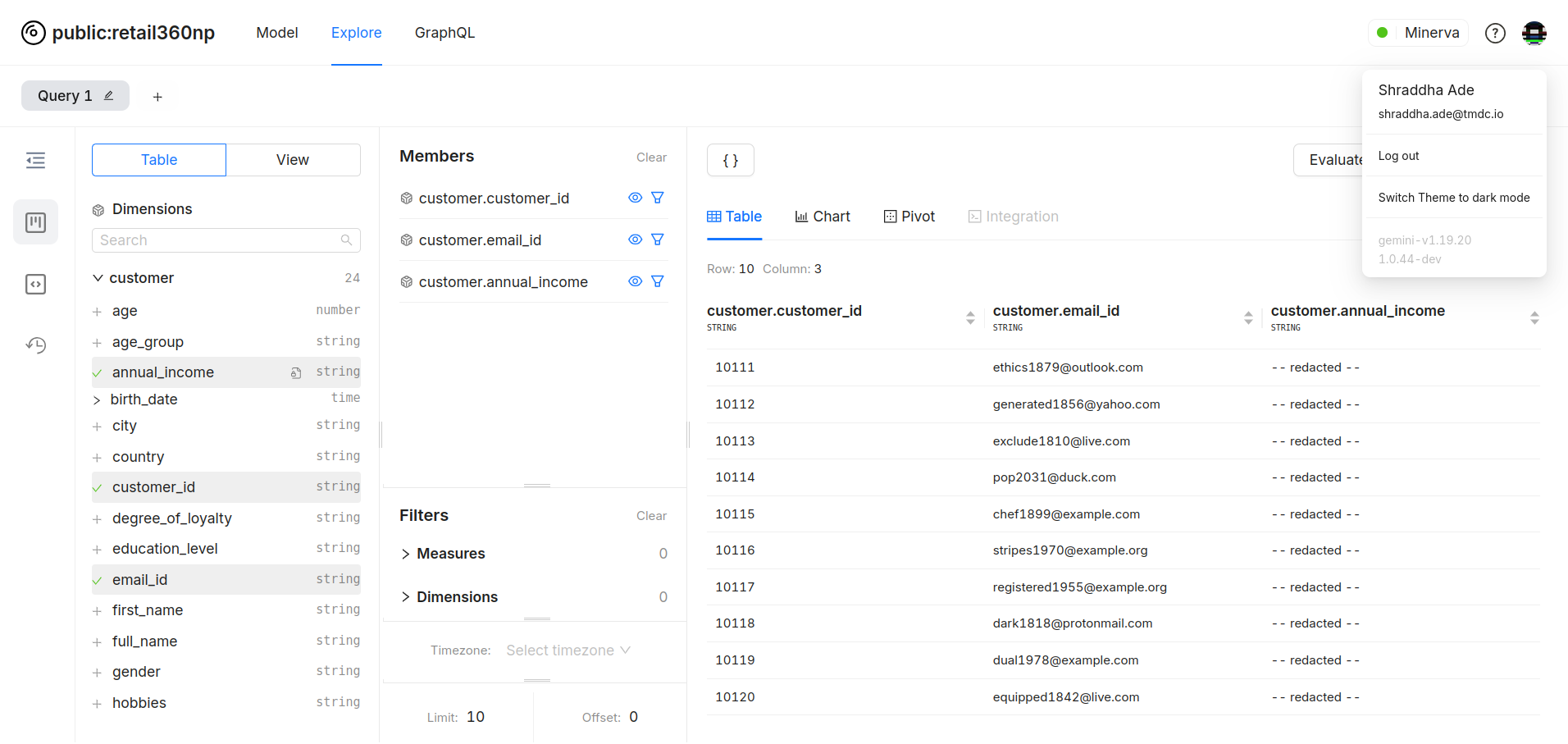
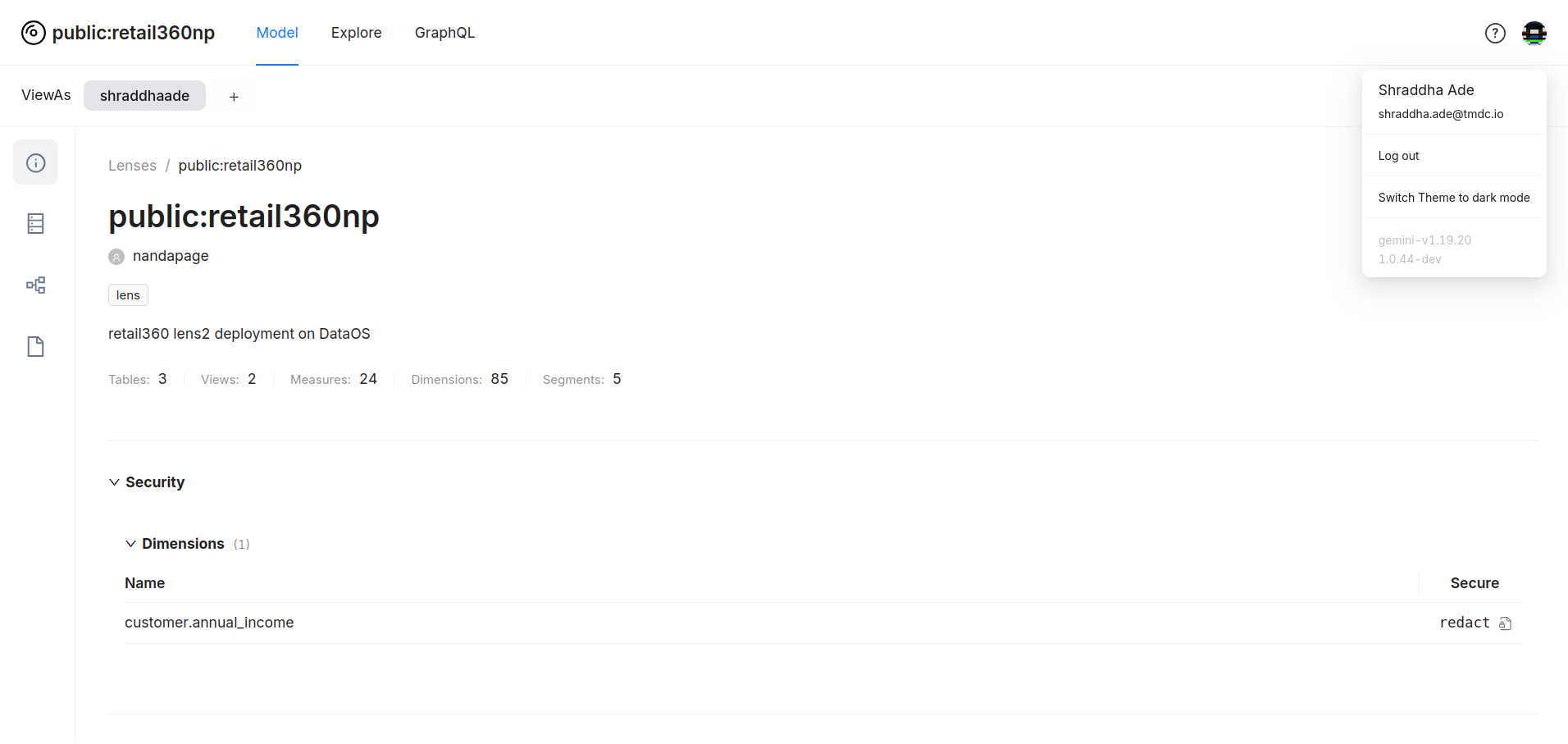
The applied policy can be seen in the model overview.
Inherited Masking Policies from the Physical Table
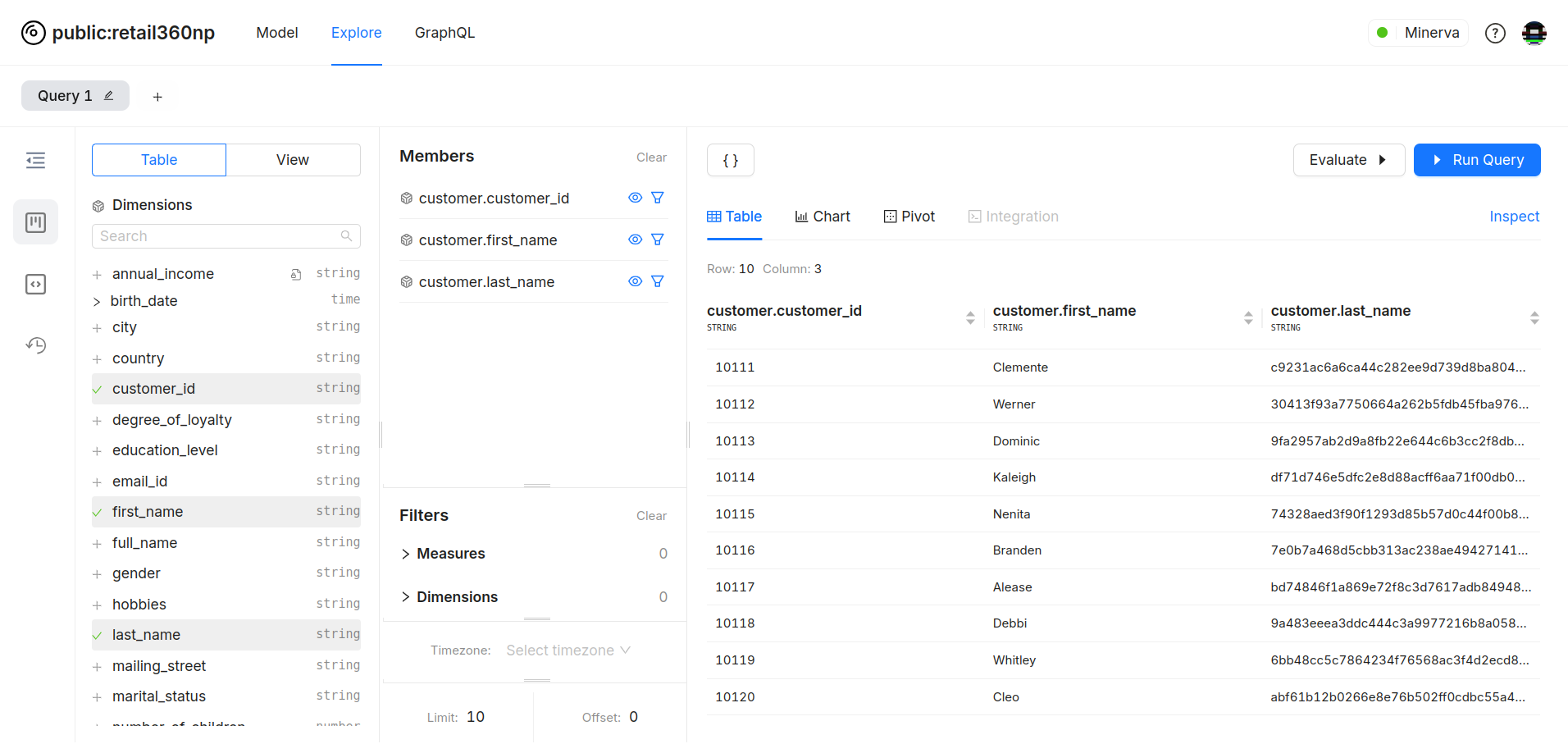
Notice that even though no policy is defined for the last_name column in the data model, it’s still masked. This is because the masking policy is applied to the physical table from which the logical table is derived.
Fine-Tuning Data Visibility with Row Filters
To define a row filter policy, create a segment for your table. In the meta section, use the secure property to specify which user groups should have restricted data visibility.
Example: This segment displays only online sales to all user groups except reader.
segments:
  - name: online_sales
    sql: "{TABLE}.order_mode = 'online'"
    meta:
      secure:
        user_groups:
          includes:
            - *
          excludes:
            - reader
To learn more, refer to Pre-defined Filtering with Segments.